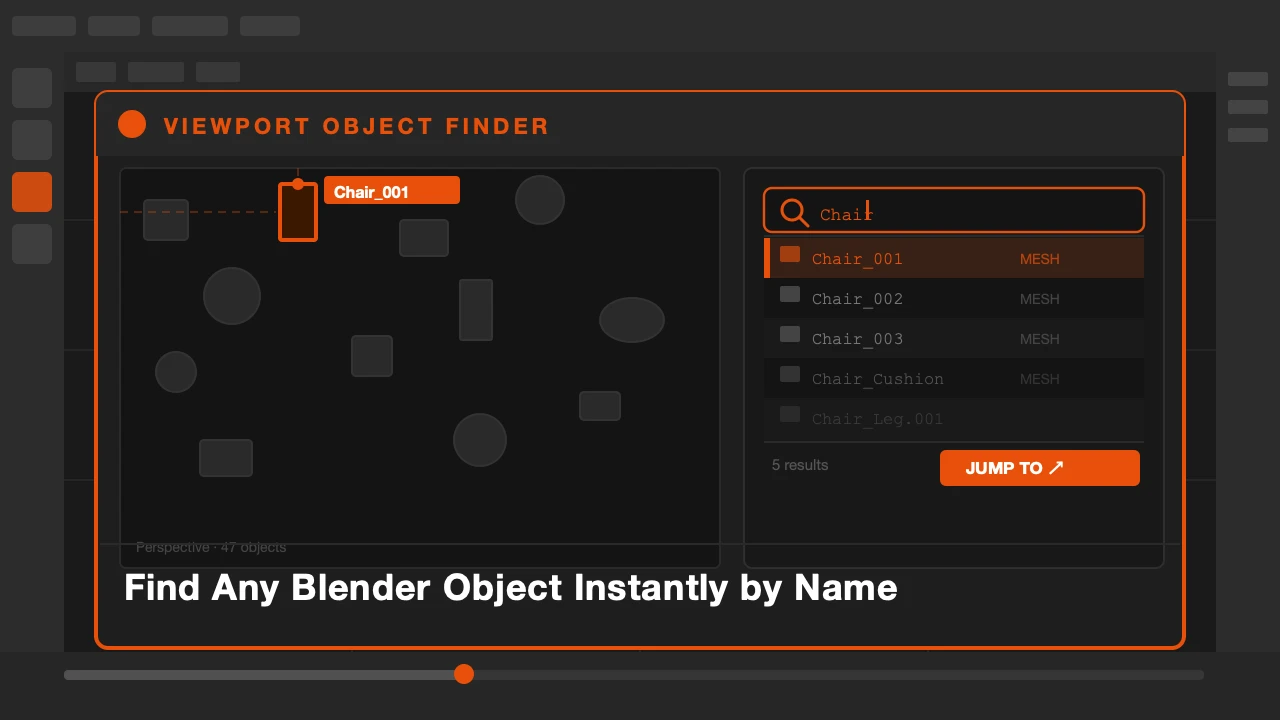
Your scene has two hundred objects. Someone named half of them "Cube.001" through "Cube.087." You need to find a specific piece of furniture buried in the middle of a fully dressed interior set.
You scroll the outliner. You click through collections. You click in the viewport hoping to land on the right object. Nothing.
There should be a search. Now there is.
Viewport Object Finder is available on Superhive and Gumroad.
The Outliner Is Not a Search Tool
Blender's outliner works fine for small scenes. Once you have hundreds of objects across nested collections, it becomes slow to navigate. You expand one collection, don't find it, collapse it, expand another. The search bar at the top of the outliner helps but it does not select the object or move the viewport to it.
Viewport Object Finder does both.
What Viewport Object Finder Does
Type any part of an object's name into the search field. Matching objects are highlighted in the viewport immediately as you type. Press Enter or click a result and the viewport jumps to that object, selects it, and centers it in view.
The search is live. You don't need to remember exact names. Partial matches work. If you type "chair" it finds every object with chair in the name, wherever it is in the scene hierarchy.
You can also filter by object type. If you want to find only meshes, or only lights, or only empties, add a type filter to narrow the results.
For scenes where objects are hidden, the finder can reveal the object temporarily so you can inspect it, then restore its hidden state when you are done.
Who This Is For
Anyone working with large scenes. Archviz artists with fully furnished interiors. Character artists working on scenes with many accessory objects. Technical directors navigating complex rigs. If your scene has more than fifty objects, this saves time every session.
Type. Find. Done. Back to work.
Stop hunting through the outliner.